

- Dettagli
- Ultima modifica: 19 Febbraio 2015
How start with OfficePos ?
1º |
SIGN UP / REGISTER Create a Free account. Once the account is created automatically receive an email to proceed with the validation of the same. Check your account by clicking Login, fill all your business data, store, payments, taxes, categories, products, prices, employees, ... or perform the automatic import of information from another application. |
2º |
DOWNLOAD APP for Point of Sale - POS* |
3º |
CUSTOMIZE** From the POS desktop, double-click the icon for OfficePos - Point of sale, identify and in several seconds and POS Software becomes available. Check the screen design through the "Log in Design CRTL-M", check the peripherals (printer tickets or documents, customer display, cashdrawer, scanner, ...). Optionally available for free download for iPhone App from the Apple Store. **This step is not necessary if using WebPOS |
| ¿How upgrade from OfficePos Free account to OfficePos Premium? Open a session (login) | Administration | My subscription and click "Upgrade Premium" link. Once you have accepted the change of service will receive an email telling you how to pay*** receipt. You will receive an email when payment is confirmed and informing him that the change of service is already successful, and then you can enjoy the benefits of OfficePos Premium, create new users, manage your inventory, ... (***) Payment methods accepted: - Credit card - Bank transfer - PayPal |
Cloud computing and Security
- Dettagli
- Ultima modifica: 01 Dicembre 2014
 |
What began as a trend is now a reality. Every time it is easier to untie our data and computer applications, having them always accessible from any PC, Mac or mobile device with a Internet connection. Years ago we're hearing about cloud computing or cloud services, a concept in itself something abstract and difficult to understand first. However it is very possible that, without knowing it, and are enjoying the possibilities of the cloud. The clearest example is the current services such as Gmail, Hotmail, iCloud or social networks like Facebook, Twitter. Communication services are accessible from any web browser, you do not need to install or anything special we configure our computers to enjoy them. |
SAFETY AND ACCESSIBILITYYour data is located in a secure Datacenter 24 hours day, 365 days year. Power supply guaranteed. Guaranteed connectivity. Automatic backup policy at different devices. Antivirus and Antispam service. Lifetime Warranty and infrastructure server. Cloud computing, managed server. Access to OfficePos applications from anywhere. |
 |
OfficePos Partner / Affiliate Program
- Dettagli
- Ultima modifica: 01 Dicembre 2014

OfficePos offers a unique way to win money. If you reference any premium account will benefit from a 10% commission on each subscription and without any effort on your part.
Requirements
Simply must have a Officepos account and a bank account where your money will be sent.
What is my profit
For each subscription*, will be up to 10% of the amount forewer.
* (Subscriptions must be active accounts Premium)
How to register
Only must Sign Up as OfficePos account and check "I want to be a partner and earn money with OfficePos". Once you are discharged, you will be assigned a ID_Partner.
How reference a customer
When your customer is registered as OfficePos account, only in the form must indicate the number of ID_Partner.
More questions
If your client has referenced multiple users, that commission is responsible? The % commission of all users.
If your referenced customer has purchased other optional services are a benefit you? You will receive the same commission.
When performing the liquidation commission? Annually if less than 10 subscriptions (December) and Quarterly if more than 10 subscriptions (end of each quarter).
A referenced customer can reference to other customers? Yes.
Who can benefit from the affiliate program ? Any company, trade union or private person.
Support OfficePos
- Dettagli
- Ultima modifica: 01 Dicembre 2014
GUARANTEE WITH 24X7
Besides ensuring 24x7 operation, you can benefit the service Basic Support or Support Plus for support related to your account. It should also be noted that many of the basic queries with which can be found, are answered in the manual interactive context (by pressing F1 from anywhere in the program), in the FAQ on the web, help guides and tutorials published in web: |
|
||
|
* Please login and access Menu | Help | Remote Control and follow the instructions ** Once join to Support Plus, you will receive an email indicating how to contact Officepos. |

Frequently asked questions
- Dettagli
- Ultima modifica: 01 Dicembre 2014
GeneralPricesFeaturesSecurity
|
 |
General
What is OfficePos?
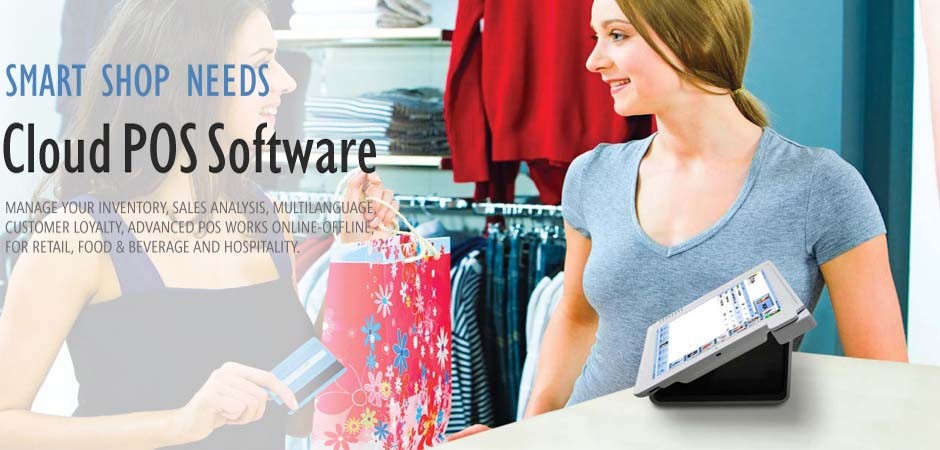
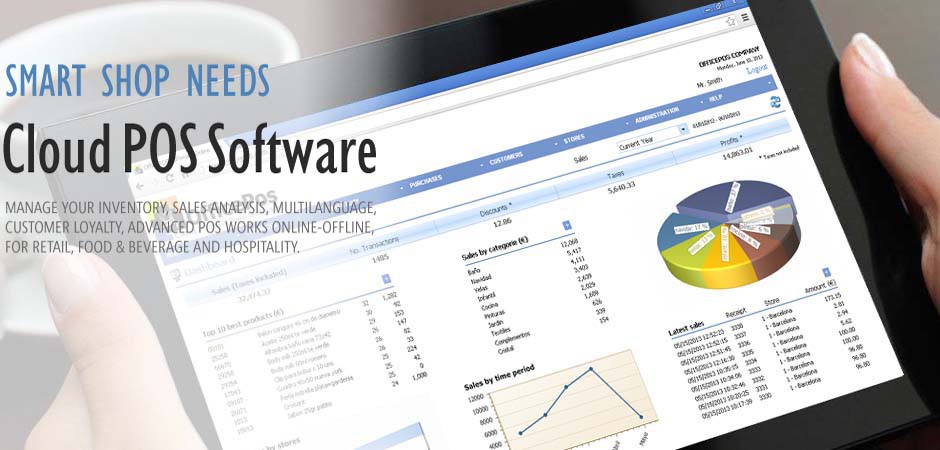
OfficePos is an online platform for trading at retail through subscription. It is simple and intuitive, yet powerful and scalable network with unlimited users and customer service and can be accessed from anywhere in the world where an Internet connection. It consists of a centralized Web management office, a POS software POS advanced and highly configurable, cloud computing or cloud services, security in a datacenter high availability, backup and remote helpdesk specialist.
What gives me OfficePos benefits?
With OfficePos will implement cost savings of over 95%, as it requires no purchase or maintain a server and not have to deal with maintenance or backup of the database and be able to unsubscribe from service when want without penalty. Comparative cost ...
Do I need to start?
You only need a PC and an Internet connection. You can connect a printer for tickets / receipts, scanner and cash drawer.
It's an online store or a physical store?
OfficePos not an e-commerce application. OfficePos is oriented to retail outlets, restaurants and food and powerful configurator allows you to customize the interface, work environment and peripherals to multiple business types. Coming soon, we can also offer a connector to Prestashop eCommerce platform.
Prices
OfficePos much will it cost?
OfficePos has two possibilities: Free version is free and unlimited and the premium version for a cost per user / month. (See Pricing).
What gives me OfficePos Free (FREE for life)?
OfficePos Free is suitable for small business with a single store and limited transactions. You can keep a catalog of items (no photos) with a maximum of 1,000 references and 1,000 lines per month sales transactions, customer management, inventory management does not allow ..
What gives me OfficePos Premium?
OfficePos Premium is multi shop and has no limit products / items, or to perform monthly transactions and allows you to continue working at the point of sale should drop Internet. You can manage suppliers and purchases and stocks for stores / shops.
How to pay?
You can pay the fee by credit card (with CSC) or Bank Transfer. The payment may be monthly, quarterly or yearly.
Features
I can work with product images?
Yes, you can upload or attach a picture for each product (Premium only).
How many items I can store?
No items limit for OfficePos (except in the free version that has 1000).
With what kind of fees / taxes I can work?
You can set rates and fees for each store according to the country, state or province where your store is located at the item level by customizing the type of tax that liquid.
How many users can connect?
There is no limit on the number stores or users. May even work with different catalogs as store and assigning each user different permissions.
Which kind of business is it for?
OfficePos is oriented Retail, Food and beverage. Its powerful configurator allows you to customize its interface and functionality to multiple types of comfortable and effective business doing the work of the user.
It is easy to use?
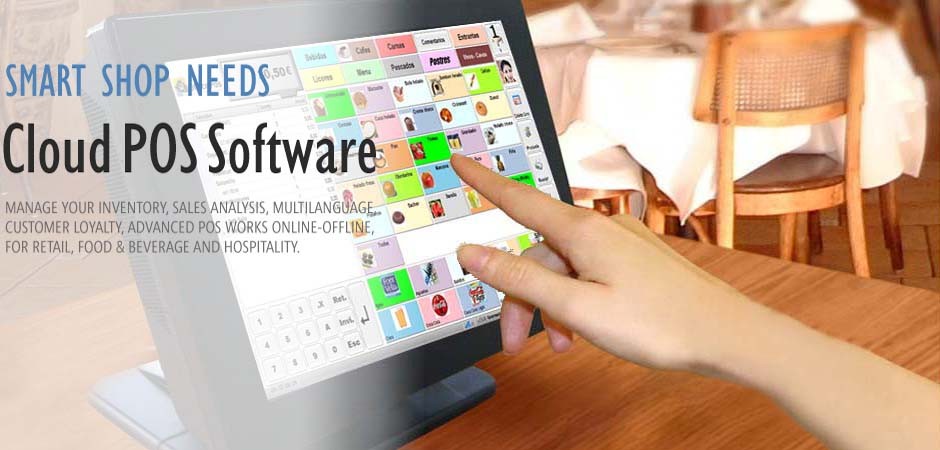
Yes OfficePos is designed with the user that will be easy and intuitive handling in both touch screen and onscreen conventional mouse no need for it and has in sight, on one screen, all you need to manage in-store sales.
I can work with barcodes?
Yes, OfficePos supports one or more codebars for each product and you can work with all standard scanners.
What I can connect peripherals (cashdrawer, printer, scanner, ...)?
OfficePos works with ticket printers, document printers, cashdrawer, customer display, scales, touch screen or non-touch. The cashdrawer must be compatible with your ticket printer / POS receipts.
Security
I can keep working if my Internet line failure?
Yeah, thanks to its design and architecture, OfficePos Operates online fault tolerant line or other. In Premium accounts, you continue to work at the point of sale if your internet is not working.
What help / support I offer?
In our support page you will find the various ways we can help you get the most out of your account.
Where is the backup of my data and how often is it done?
Our Datacenter makes backups of the database at least every 24 hours and can keep backups in different locations geographically separated.
I can download my data?
Yes, only premium accounts can export data in format CSV.
Others
What do I unsubscribe from the service?
From the Administration menu in My Subscription indicate the Unsubscribe option.